Modules
Data Analyst
Data Engineer
Product Data Scientist
AI Engineer
Machine Learning Engineer
Prompt Engineer
Here's an easy-to-understand table that illustrates the key differences between SQL functions: ROW_NUMBER, RANK, and DENSE_RANK:
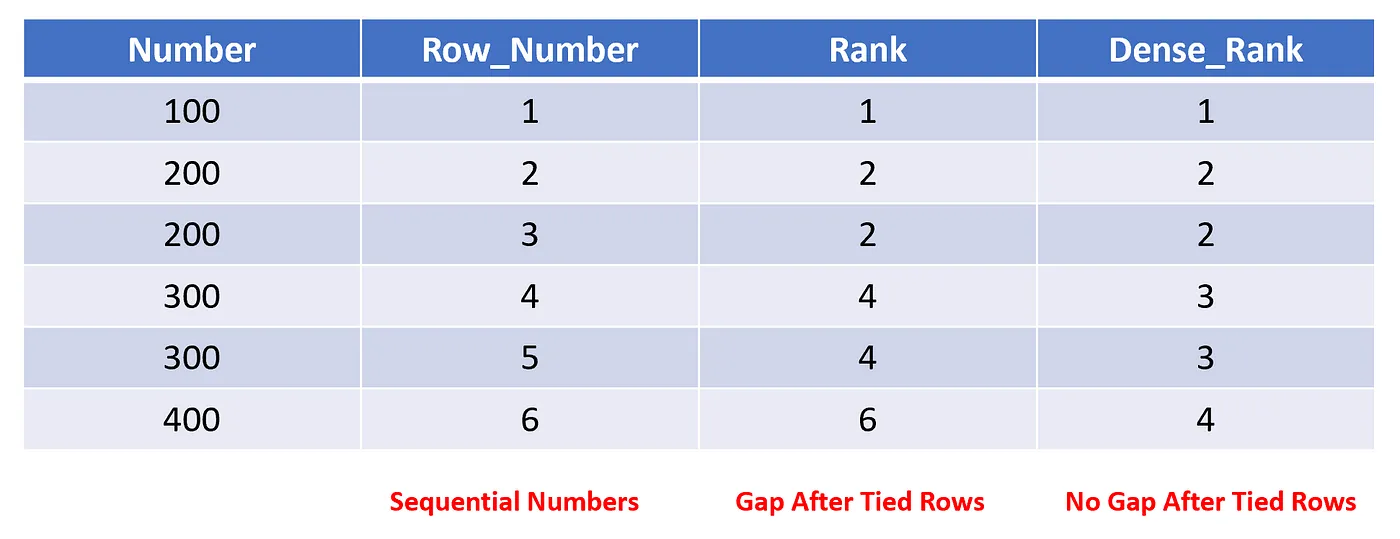
The logic of the query is the same as the row_number, and the SQL is pretty straightforward:
SELECT
    number,
    ROW_NUMBER() OVER (ORDER BY number) AS row_number,
    RANK() OVER (ORDER BY number) AS rank,
    DENSE_RANK() OVER (ORDER BY number) AS dense_rank
FROM numbers
Now, let's go over the salary example, because we love salaries right!
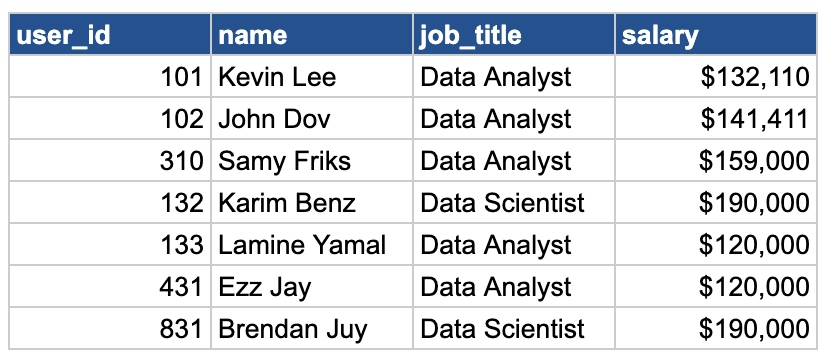
If we want to add 2 new columns, one using rank and the other using dense_rank. Try it yourself!
Brendan and Karim, both earning a top salary of $190k, will share a rank of 1. The next highest salary (Sammy) will get a rank of 3 (RANK function skips a number after a tie). However, DENSE_RANK would assign the following salary a rank of 2, because dense_rank doesn't skip the sequence.
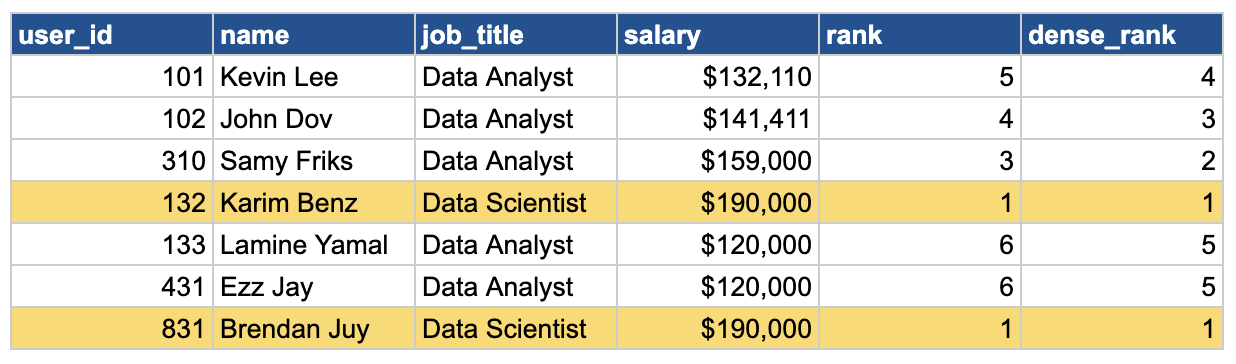
Here is the SQL using the salaries table:
SELECT
    user_id,
    name,
    job_title,
    salary,
    RANK() OVER(ORDER BY salary DESC) AS rank,
    DENSE_RANK() OVER(ORDER BY salary DESC) AS dense_rank
FROM salaries
We use a descending order here to rank the highest salaries.
But what about finding the lowest salaries within each job title?
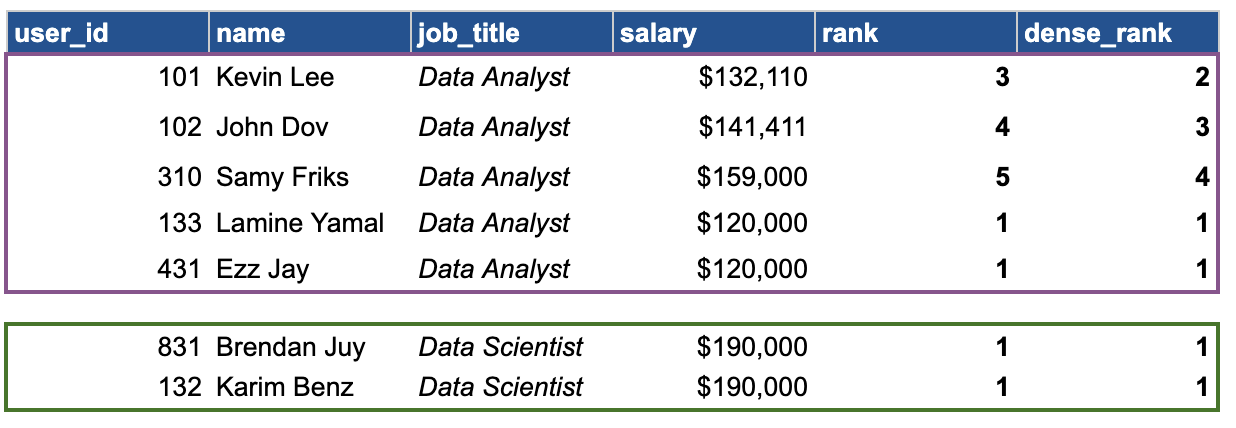
For data analysts, the lowest salary is $120k, shared by Lamine and Yamal. Both receive a rank and dense_rank of 1. The next salary steps up to rank 3 (for RANK) and 2 (for DENSE_RANK).
The SQL query will just need to have a partition by job_title:
SELECT
    user_id,
    name,
    job_title,
    salary,
    RANK() OVER(PARTITION BY salary ORDER BY salary) AS rank,
    DENSE_RANK() OVER(PARTITION BY salary ORDER BY salary) AS dense_rank
FROM salaries
And we are not using DESC, because we want the lowest salaries first.
Now, you understand the difference between RANK, DENSE_RANK and ROW_NUMBER! 🎉🎉🎉🎉