Modules
Data Analyst
Data Engineer
Product Data Scientist
AI Engineer
Machine Learning Engineer
Prompt Engineer
ROW_NUMBER is a window function that assigns a number to each row of your dataset. It can be super useful when sorting rows based on a specific ordering.Let's go through a specific example so that it makes more sense.
You have this table called users which has the following columns:
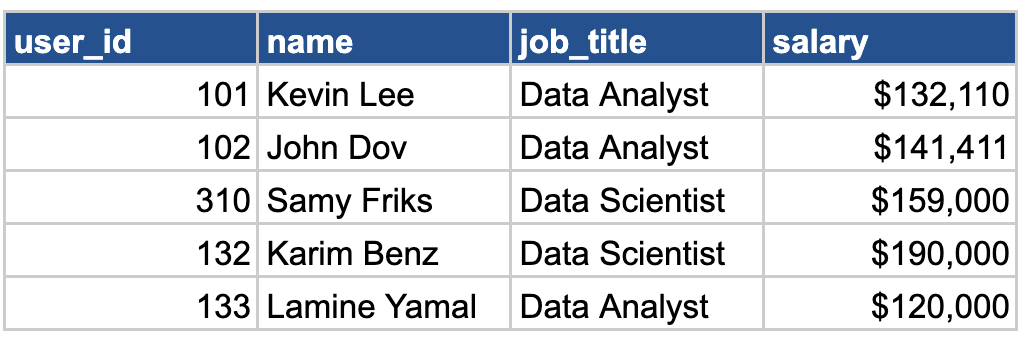
You're being asked by your team to rank all these users by their salary and assign a rank to them from 1 to 5 (with 1 being the highest salary). For that, you will use the ROW_NUMBER function and this is how it looks in SQL:
SELECT
    user_id,
    name,
    job_title,
    salary,
    ROW_NUMBER() OVER(ORDER BY salary DESC) AS rank
FROM users
And after running this query, it should return this:
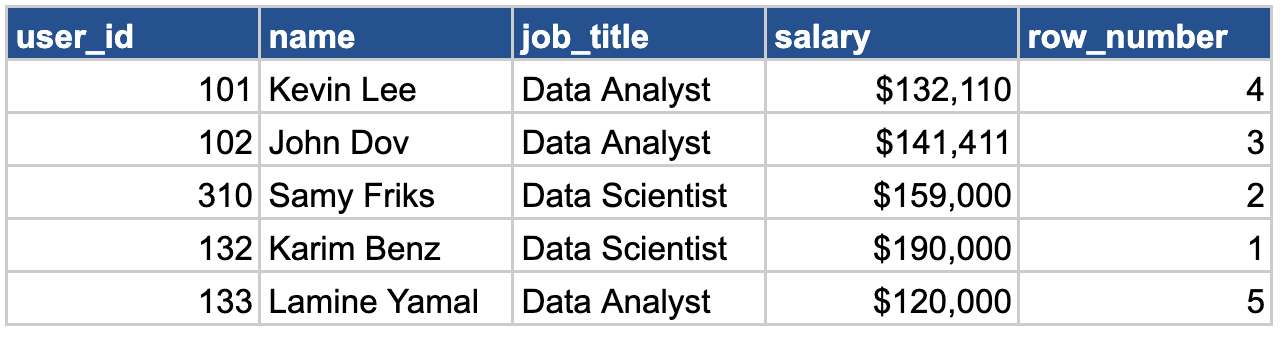
Awesome! 👏 You were able to rank all the salary in the users table!
Now, the team wants to rank each user based on their job title. This requires partitioning all users by their job title, so we can compare Data Analyst and Data Scientist salary separately.
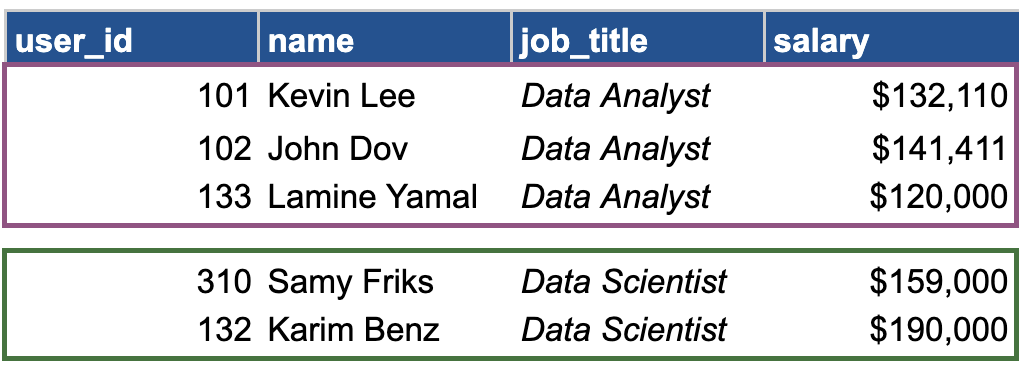
How do we do that in SQL?
SELECT
    user_id,
    name,
    job_title,
    salary,
    ROW_NUMBER() OVER(PARTITION BY job_title ORDER BY salary DESC) AS rank
FROM users
We would simply need to add that we want to partition by job_title in our window clause! And you will then get this result:
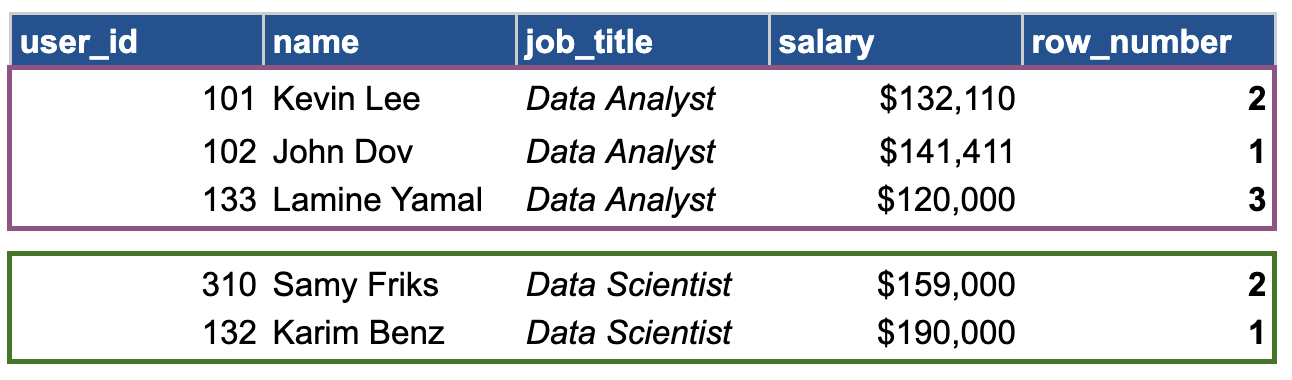
In the partitioned data, we separately compared the salaries of Data Analysts and Data Scientists. John Dov is ranked 1st within Data Analyst with a salary of $141k and Karim Benz has the highest salary within Data Scientist with 190k.
If you want to get the 2 highest salary for each job title, you would simply need to add a WHERE condition on rank. But keep in mind that when using window functions, this condition must be placed within a subquery.
WITH my_users AS
  (SELECT
    user_id,
    name,
    job_title,
    salary,
    ROW_NUMBER() OVER(PARTITION BY job_title ORDER BY salary DESC) AS rank
   FROM users)

SELECT * FROM users WHERE rank = 1
Now, you are able to rank and partition using ROW_NUMBER and filter values, TIME FOR PRACTICE!